Retail success is no longer dictated by instinct or visual appeal alone. In an era where data drives every competitive advantage, merchandising decisions must be validated with evidence. One of the most powerful tools enabling this shift is heatmap analytics, a visual representation of how customers actually move through a store. When powered by a footfall counter and interpreted through retail analytics software, heatmaps turn floor layouts into measurable, optimizable assets rather than static designs.
This is merchandising by the numbers where every product placement earns its space.
Why Floor Layouts Matter More Than Ever
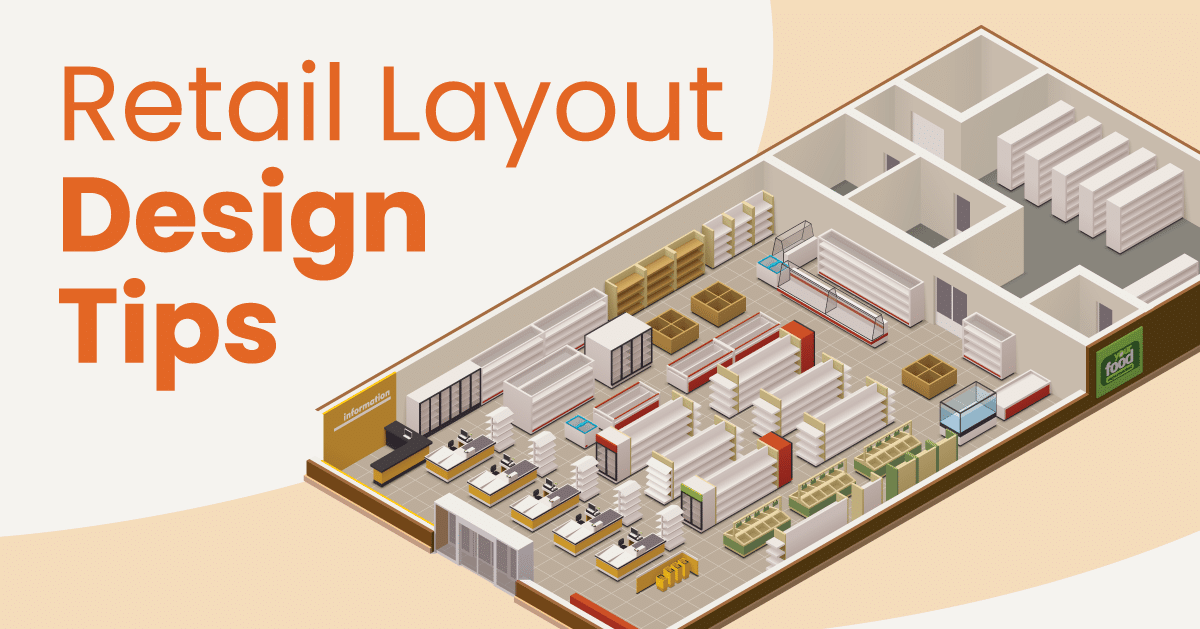
A store’s layout directly influences customer behavior. Poor layouts create dead zones, congestion, and missed sales opportunities. Even premium products underperform if placed where customers rarely go.
Traditional layout planning relied heavily on assumptions:
- Customers will walk through the entire store
- High-margin items sell anywhere
- Aesthetic symmetry equals performance
In reality, shoppers follow predictable yet invisible paths. Without data from a footfall counter, these patterns remain hidden. Retail analytics software reveals them, allowing retailers to validate and not guess the effectiveness of their merchandising strategies.
What Are Heatmaps in Retail Analytics?
Heatmaps are visual overlays that show customer density and movement within a store. Warmer colors represent high-traffic areas, while cooler zones indicate limited engagement.
These insights are generated by combining data from a footfall counter with spatial analytics inside retail analytics software. The result is a clear, intuitive view of:
- High-engagement zones
- Underutilized floor space
- Common customer pathways
- Dwell-time hotspots
Heatmaps shift merchandising from opinion-based decisions to performance-backed layouts.
The Role of Footfall Counters in Heatmap Accuracy
A footfall counter is the foundation of reliable heatmap analysis. It captures customer entries, movement flow, and directional behavior. When strategically installed, it provides granular data on how shoppers interact with different store zones.
Accurate footfall data ensures:
- Heatmaps reflect real behavior, not estimates
- Traffic patterns are tracked across time periods
- Layout changes can be objectively compared
Without a footfall counter, heatmaps lack credibility. With one, they become a decision-making powerhouse.
Validating Product Placement with Data
One of the biggest advantages of heatmaps is validating whether high-value products are placed where customers actually go. Retailers often assume premium displays will attract attention but heatmaps often tell a different story.
Using retail analytics software, retailers can analyze:
- Whether promotional displays sit in high-traffic zones
- If bestsellers are placed along natural walking paths
- How endcaps and focal points perform
- Which categories suffer from low visibility
This allows merchandising teams to reposition products based on traffic evidence rather than visual merchandising theory.
Identifying Dead Zones and Missed Opportunities
Every store has dead zones—areas customers rarely visit. Heatmaps generated from a footfall counter expose these zones clearly.
Once identified, retail analytics software helps retailers:
- Repurpose dead zones with impulse items
- Improve signage and visual cues
- Adjust aisle width or navigation flow
- Relocate underperforming inventory
What was once wasted space becomes a measurable opportunity for improvement.
Optimizing Store Navigation and Flow
Customers don’t explore stores randomly. They follow paths shaped by entrances, aisle placement, and visual anchors. Heatmaps show exactly where customers slow down, turn back, or skip sections entirely.
With insights from retail analytics software, retailers can:
- Reduce congestion in high-traffic areas
- Improve access to popular categories
- Encourage deeper store exploration
- Balance traffic across the floor
Combined with a footfall counter, these changes can be tested and validated over time.
Measuring the Impact of Layout Changes
One of the most valuable aspects of heatmap-driven merchandising is measurability. Layout changes no longer rely on subjective feedback—they can be quantified.
Retailers can use retail analytics software to compare:
- Pre- and post-layout footfall distribution
- Changes in dwell time by zone
- Conversion rates linked to traffic shifts
- Sales uplift in repositioned categories
This closed-loop analysis ensures merchandising evolves based on results, not trends.
Multi-Location Consistency Through Analytics
For retailers managing multiple stores, layout performance often varies dramatically. Heatmaps powered by a footfall counter allow brands to standardize what works while respecting local behavior.
Using centralized retail analytics software, retailers can:
- Identify high-performing layouts
- Replicate proven merchandising strategies
- Adjust layouts based on regional traffic patterns
- Benchmark store performance objectively
Consistency improves brand experience while preserving local optimization.
Enhancing Collaboration Between Teams
Data-backed heatmaps also improve collaboration between merchandising, operations, and marketing teams. Instead of debating opinions, teams align around shared insights from retail analytics software.
This alignment leads to:
- Faster decision-making
- Clearer accountability
- Better ROI on merchandising investments
- Stronger store-level execution
The footfall counter becomes a neutral source of truth across departments.
Conclusion: Let Data Decide the Floor
Merchandising success today demands more than creativity—it requires validation. Heatmaps powered by a footfall counter and analyzed through retail analytics software give retailers the clarity to design layouts that perform, not just impress.
By understanding where customers actually go, how long they stay, and what they engage with, retailers turn floor layouts into revenue-driving systems. Merchandising by the numbers isn’t the future—it’s the standard for retail excellence.
Frequently Asked Questions (FAQs)
1. How do heatmaps improve merchandising decisions?
Heatmaps visualize customer movement and engagement, allowing retailers to validate product placement using footfall counter data and retail analytics software.
2. Is a footfall counter necessary for heatmap analysis?
Yes. A footfall counter provides accurate traffic data, ensuring heatmaps reflect real customer behavior rather than assumptions.
3. Can heatmaps help increase sales?
Absolutely. By placing high-margin products in high-traffic zones identified through retail analytics software, retailers can improve visibility and conversion rates.
4. How often should floor layouts be evaluated using heatmaps?
Retailers should review heatmaps monthly and after any major layout change, promotion, or seasonal shift using footfall counter data.
5. Are heatmaps useful for small retail stores?
Yes. Even small stores benefit from understanding customer flow through retail analytics software, enabling smarter use of limited floor space.